Lovely Mobile Maker FAQ
Table of Contents
LMM Specifc Information
After running through the steps on the main page, you will get the app as a file. The following tells you how to install the app on your machine:
Android
If you did the process on your device, you should be able to open the download to install it.
If you did it on your PC you may either
- Copy the file to your device and install it using it's file manager.
- If your device is in developer mode, install it using adb.
Warning! Google is planning on making this much more difficult if not impossible. For more information, please see keepandroidopen.org.
iOS
It is a bit tricky to sideload apps on iOS. Below are a few different methods:
- If your device supports it, TrollStore is recommeneded. It allows infinite app installations without any expiry. You can see the supported device versions, and how to install it on ios.cfw.guide.
- If not you can use a computer to install the app. You can follow the instructions on ios.cfw.guide.
First you must acess the mod folder. Below is how to do so on each platform:
Android
Unfortunately, most android file managers are quite bad for this purpose. As such I recommend using Material Files (It can be install on F-Droid and Google Play).
After installing Material Files, you can then open the hamburger menu on the top left > Add Storage... > External Storage > the hamburger menu on the top left > The name of the app > Use this folder > allow.
This will add a new folder to the sidebar with your game saves. Lovely mods will always be in ASET > Mods and game saves will either be in ASET or a folder of the game name (it depends on the game).
iOS
Once installed, and the app has been run once, there will be a new folder under On My iPhone/iPad named after the app. Lovely mods will be put in here under game > Mods.
With this path, you may install mods like normal in here. For Balatro you can follow the Steamodded install guide to install Steamodded.
With LMM, lovely is built into the app. To update the app, you will have to go through the process of making the app, and installing it again. If you don't uninstall the old app, and use the same bundle ID, the app will be updated without losing you saves/mods.
Balatro Specifc Information
Steamodded is required for most mods. You can follow the Steamodded install guide to install Steamodded.
Silk Touch to control the game more like the native mobile apps.
MobilePatches is a mod that changes a few things in balatro to work better on mobile devices. Each patch is does is in a different file and can be deleted if you do not want it.
Steamodded v1.0.0~BETA-1610a (release 1620a and newer) has the MobilePatches changes built in, and as such, means MobilePatches is not nessicary when a compatible steamodded is present. If you not installing steamodded, or using an older version, then you should still install MobilePatches.
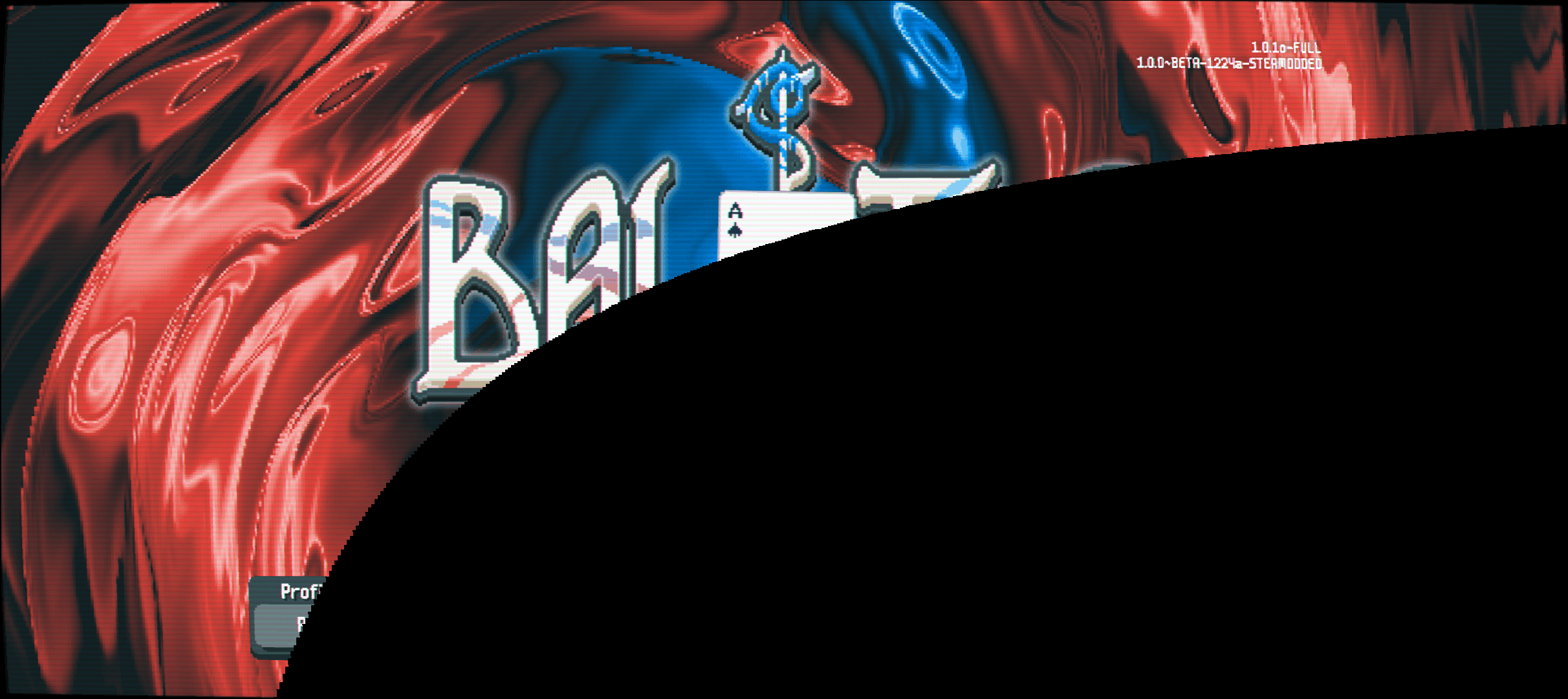
Although, that's not really a question, this is an issue caused by the CRT shader that effects some devices (usually google pixels). To fix this, you need to either install MobilePatches or Steamodded v1.0.0~BETA-1610a or newer (release 1620a and newer).
Once you have the app installed and you start using mods, crashes aren't related to LMM anymore. If you are getting crashes, you should ask in the Steamodded Discord for help. Please be sure to include the error message, as it contains useful information for debugging crashes.